
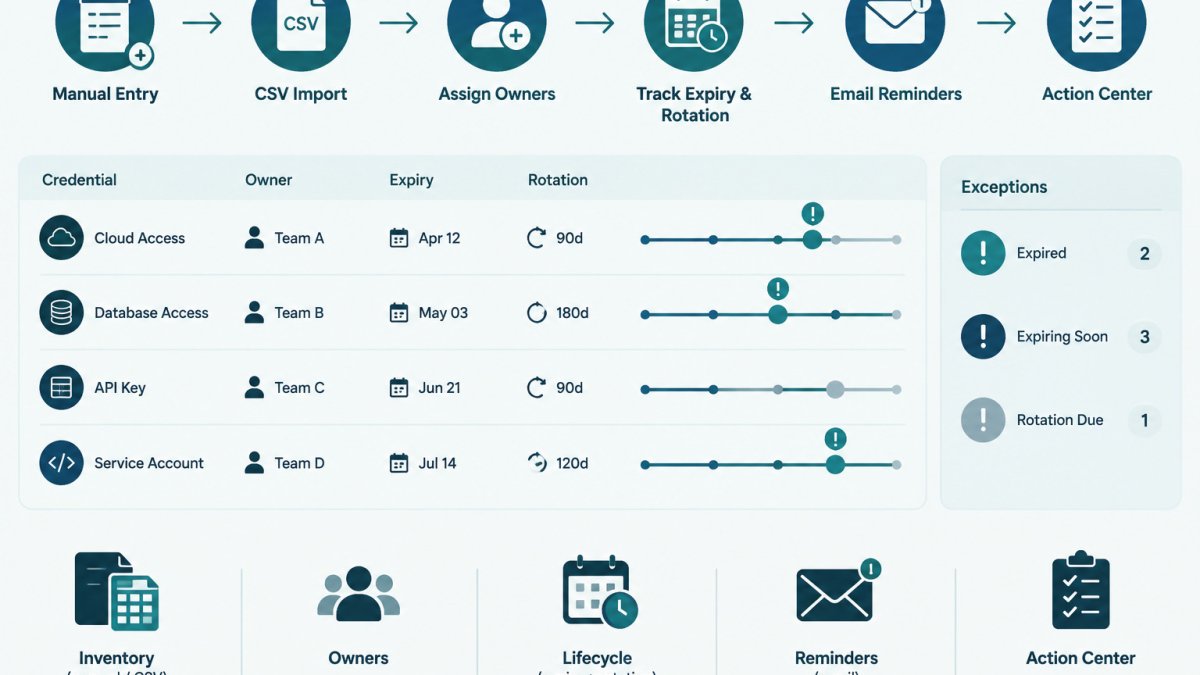
Last Updated: November 8, 2026
Quick Summary
Exception expiry tracking is the process of recording each credential exception's expiry date, assigning a named owner, and checking those dates on a schedule. It stops temporary allowances from quietly becoming permanent. Each exception should be logged in a register with a review date set before expiry.
- Every exception needs a named owner, a written reason, and a risk note.
- Set a review date earlier than the expiry date, such as fourteen days before expiry.
- Keep extensions limited, with a fresh reason and approver sign-off each time.
- Close the loop in both the exception register and the credential inventory.
Table of Contents
- What a Credential Exception Is and Why It Needs an Expiry Date
- Building a Credential Exception Register
- Setting Time-Bound Approvals and Expiry Dates
- Linking Exceptions to Your API Key Inventory Template
- Scheduling Reviews, Reminders and Escalation Paths
- Handling Expired Exceptions and Recording Closure
- Next Step: Start Your Exception Register This Week
- Frequently Asked Questions
What a Credential Exception Is and Why It Needs an Expiry Date
A credential exception is a documented decision to allow a credential to operate outside its normal policy.
That is why every exception needs an expiry date. An expiry date sets the point where someone must review the exception, extend it with a reason, or close it by rotating or revoking the credential in the provider.
Exception expiry tracking is the process of recording these dates, assigning an owner, and checking them on a schedule. Track API key expiry dates across providers with a step-by-step guide.
- An exception has a named owner.
- An exception has a written reason and a risk note.
- An exception has an expiry date and a review date.
Building a Credential Exception Register
A credential exception register is a single list of every active exception. It is the working record your team checks before any review.
Keep the register simple. Store metadata only, never secret values. Useful columns include:
| Field | Example (fictional) |
|---|---|
| Exception ID | EXC-014 |
| Credential name | billing-webhook-key |
| Provider | Example Payments |
| Owner | Dana (platform team) |
| Reason | Legacy partner cannot accept new key format yet |
| Risk note | Read-only scope, reviewed quarterly |
| Expiry date | 2027-02-15 |
| Status | Open |
Start with the credentials you already know are excepted. Then ask each team to add anything they have allowed outside policy.
Watch out: an exception recorded only in a chat thread or a ticket comment is easy to lose. Put it in the register.
Setting Time-Bound Approvals and Expiry Dates
A time-bound approval is an exception that is valid only until a set date. The approver chooses that date based on how long the real blocker is expected to last, not on how long the team would like the exception to run. The mechanics below are what separate a time-bound approval from a vague promise to "deal with it later."
Classify the exception before you approve it
Not every exception carries the same risk, and the approval path should reflect that. A common pattern is to sort requests into three tiers:
| Tier | Typical situation | Approval authority | Default maximum term |
|---|---|---|---|
| Low | Read-only credential, narrow scope, short blocker | Team lead | 90 days |
| Medium | Write or broad scope, or a blocker with no firm end date | Engineering manager plus credential owner | 60 days |
| High | Shared or privileged credential, or a blocker that cannot be scheduled | Security or platform owner plus the system owner | 30 days, reviewed at each extension |
The tiers are a starting point, not a rule. Adjust them to your organization's risk appetite, but write the tiers down so two approvers facing the same request reach the same answer.
Write the request
A usable request states four things: the credential (name and provider), the affected system, the reason the credential cannot meet policy, and what would need to happen for the exception to close. Without the last item, no one can tell whether the exception is still justified.
Assess the risk and record compensating controls
Risk assessment for an exception is not a full security review. It is a short, written note covering scope (what the credential can do), who can use it, and what temporary safeguards are in place while the exception is active. Record the control in the register next to the exception so the reviewer knows what to check at the next review date.
Choose the expiry date
Pick the shortest period that covers the real blocker. Thirty, sixty and ninety days are common defaults, but the right length depends on the work. If the blocker is a vendor change with a published date, use that date. If the blocker has no schedule, choose a short term and plan to extend with a fresh reason rather than approve a long term up front.
Set a review date earlier than expiry
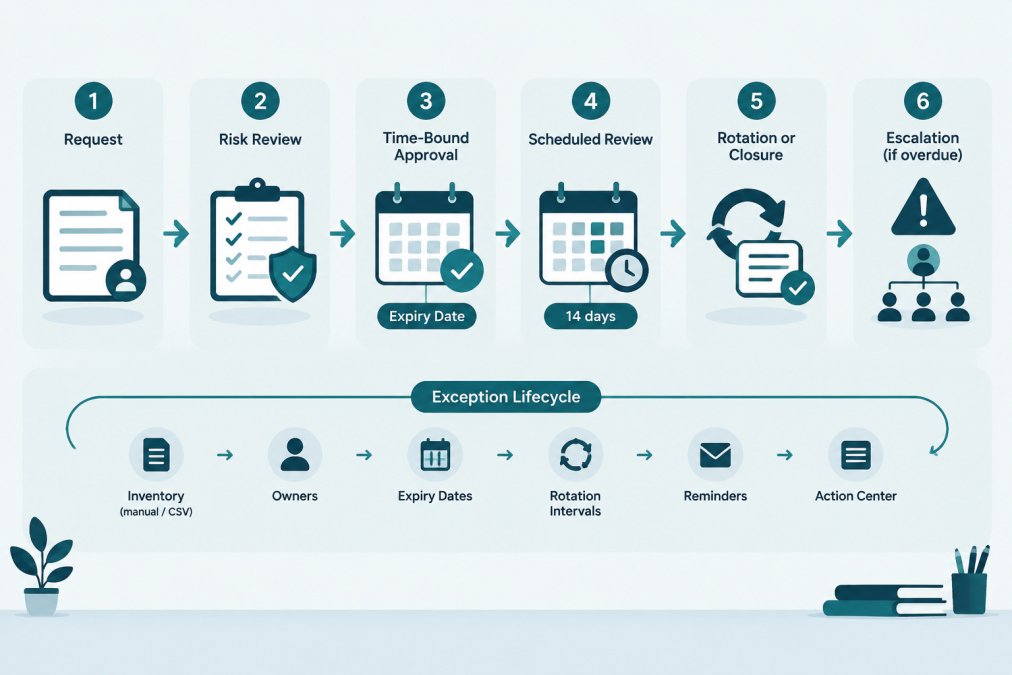
The review date is when the owner must decide: close, extend, or escalate. Set it far enough ahead that the owner has time to act, fourteen days before expiry is a common choice, and thirty days for high-tier exceptions. The review date is a separate field from the expiry date; do not rely on the expiry date alone to trigger action.
Record the approval
Record the approver's name, the approval date, the tier, the expiry date, the review date and the compensating controls. An approval that exists only in a chat thread is not an approval for audit purposes.
Watch out: approving an exception with no expiry date defeats the purpose. If a team asks for "until further notice," push back and ask what would need to happen for the exception to close, then set a date that matches that answer.
Limit extensions
An extension is a new decision, not a renewal of the old one. Require a fresh reason, a fresh risk note and a fresh approver sign-off.
The flowchart below shows how an exception moves through review, approval, scheduled review, and closure or escalation.
Linking Exceptions to Your API Key Inventory Template
Each exception should point to a specific credential record. A free credential inventory CSV with owner and expiry fields gives you a starting point to copy.
Use the same credential name in both the inventory and the exception register. A credential inventory template with fields for providers, owners and expiry dates gives you a consistent starting point.
When an exception closes, update the inventory record too. If the key was rotated in the provider, record the rotation date. If the key was revoked, mark it as retired.
Assigning a clear owner to each key matters here. Owners are the people who will act when the expiry date arrives. Learn how to assign owners to API keys step by step. The article How to Assign Owners to API Keys: A Practical Guide covers that step in detail.
Scheduling Reviews, Reminders and Escalation Paths
Expiry dates only help if someone sees them in time. Build a schedule around three points:
- Reminder at 30 days before expiry to the owner and the team lead.
- Review at 14 days before expiry to decide on closure, rotation, or a documented extension.
- Escalation on the expiry date if the exception is still open, to the person who approved it.
For reminders, many teams use email, calendar events or a dashboard. Compare credential expiration reminder tools and workflows for keys and certificates. Credential expiration reminder tools for IT teams compares options and workflows for tracking keys and certificates.
Common mistakes include:
- Sending reminders only to a shared inbox that nobody reads.
- Setting escalation with no named person to receive it.
- Reviewing exceptions only once a year.
Make the escalation path explicit. Write down who is contacted first, who is contacted second, and what decision each person can make.
Handling Expired Exceptions and Recording Closure
When an exception reaches its expiry date, one of three outcomes should occur. The process below makes each outcome explicit and leaves a record that survives an audit.
The three outcomes
- Close. The credential was rotated or revoked in the provider. Record the date, who did it, and the provider-side reference (for example, the rotation timestamp shown in the provider console).
- Extend. The owner and approver agree to a new expiry date. Record the new date, the reason, the new approver's name, and the extension count. Do not extend silently.
- Escalate. The exception was not resolved and no extension was approved. Escalate to the approver and document the delay.
Escalation path when the expiry date arrives
Write the escalation path down before you need it. A workable default:
- First contact: the credential owner, on the review date, with a request to close or request an extension.
- Second contact: the team lead, if the owner has not responded by the expiry date.
- Third contact: the approver, if the exception is still open after the expiry date, with a decision to close, extend, or restrict access.
Each step should name a person, not a shared inbox. If the escalation reaches the approver and no decision is made, the default should be to treat the credential as out of policy, restrict or revoke it in the provider and record the action. A written default prevents the exception from sitting open indefinitely.
Failure scenarios to plan for
- Missed alert. The reminder went to an address the owner no longer reads. Recovery: check the register for stale owners at each review cycle, and send reminders to both the owner and the team lead.
- Unresponsive owner. The owner has left the team or is on leave. Recovery: the team lead becomes the acting owner until a new owner is named; record the handoff in the register.
- Denied extension. The approver refuses to extend. Recovery: the owner must close the exception by rotating or revoking the credential, or escalate to a higher approver with a written plan.
Audit evidence to retain
For each exception, keep the request, the risk note, the approval (approver name and date), the expiry and review dates, the compensating controls, every extension with its reason, and the closure record. Closed exceptions should stay in the register rather than be deleted, so they serve as a record that the exception was reviewed. If your organization is subject to an external framework, check that framework's current published documentation for the evidence your auditor expects; the register fields above are a starting point, not a substitute for those requirements.
Metrics worth reviewing
A short monthly review of the exception register keeps the process honest. Useful metrics:
- Open exceptions by tier and by owner.
- Exceptions past their review date but not yet reviewed.
- Number of extensions per exception (a rising count signals a dependency that is not being removed).
These metrics are diagnostic, not a scorecard. A rising extension count is a signal to look at the underlying blocker, not to tighten the rules.
Close the loop in both places
Closure is the step teams most often skip. Record the outcome in the register, mark the exception as closed, and update the linked inventory record.
Watch out: rotating a key in the provider without updating the inventory leaves a stale record, and the next reviewer will not know whether the exception is still active.
KeyGuardRail records lifecycle metadata and audit history for this work. The getting-started guide explains how to set up a workspace and add a first inventory without sharing secret values.
Next Step: Start Your Exception Register This Week
Start with one list. Set up a workspace and add a first credential inventory without sharing secret values. Gather every credential currently allowed outside policy, assign an owner to each, and set an expiry date and a review date.
Once the register exists, the process becomes routine: approve with an expiry, remind before it arrives, review in time, and record the outcome.
Frequently Asked Questions
What is a credential exception?
A credential exception is a documented, approved decision to allow a credential to operate outside a standard requirement for a defined period, such as a rotation interval that cannot yet be met because a dependent system has not been updated. It should name the credential, the owner, the reason, the compensating measures in place and the date the exception ends. Without an end date, a temporary exception tends to become a permanent gap that nobody reviews.
How often should credential exceptions be reviewed?
Review frequency should match the risk and the length of the exception. Teams commonly set review dates at or before each exception's expiry date, with earlier checkpoints for longer or higher-risk exceptions. Your own policy or any applicable internal standard should set the exact cadence. Record each review outcome, whether the exception was renewed, closed or escalated, so the decision history stays auditable.
What should happen when a credential exception expires?
When an exception reaches its expiry date, the credential should either be brought into compliance (for example, rotated in the provider and the work recorded) or the exception should be re-approved with a new expiry date and a fresh risk assessment. Silent lapse is the failure to avoid. Escalate to the approver if the owner has not acted by the date, and record the final state in the register.
Can a spreadsheet track credential exception expiry dates?
A spreadsheet can hold exception records, owners and expiry dates, and it is a workable starting point for a small team. Its limits are that reminders depend on someone checking the sheet, and edit history may be harder to audit than a dedicated log. Whatever tool you use, keep the same fields: credential identifier, owner, reason, compensating measures, approver, approval date and expiry date. KeyGuardRail supports manual entry and CSV import/export of credential metadata, but it does not store secret values.
