
Last Updated: November 1, 2026
Quick Summary
Preventing credential sprawl in development environments comes down to records, owners and dates. Start with a single inventory, even a spreadsheet, and give every credential an owner and an expiry date, then set a rotation rhythm and a cleanup schedule.
- A credential inventory should record provider, environment, owner, created and expiry dates, rotation interval and status.
- Rotate in a fixed sequence: list consumers, create the replacement, deploy it, verify, then revoke the old key.
- If a service account has no named owner, it is not approved for production.
- Run the offboarding developer access checklist before the last day, not after.
- Schedule cleanup passes that flag and revoke credentials with no owner, no expiry or no recorded use.
Table of Contents
- What Credential Sprawl Looks Like in a Development Environment
- Mistake 1: No Central Credential Inventory Template
- Mistake 2: Rotating API Keys Without API Key Rotation Best Practices
- Mistake 3: Leaving Service Account Ownership Unassigned
- Mistake 4: Skipping the Offboarding Developer Access Checklist
- Mistake 5: Forgetting Expiry Dates and Lifecycle Reminders
- Mistake 6: Treating a Vault as a Complete Credential Lifecycle System
- Mistake 7: Never Cleaning Up Unused or Orphaned Credentials
- Where Teams Should Start
- Frequently Asked Questions
What Credential Sprawl Looks Like in a Development Environment
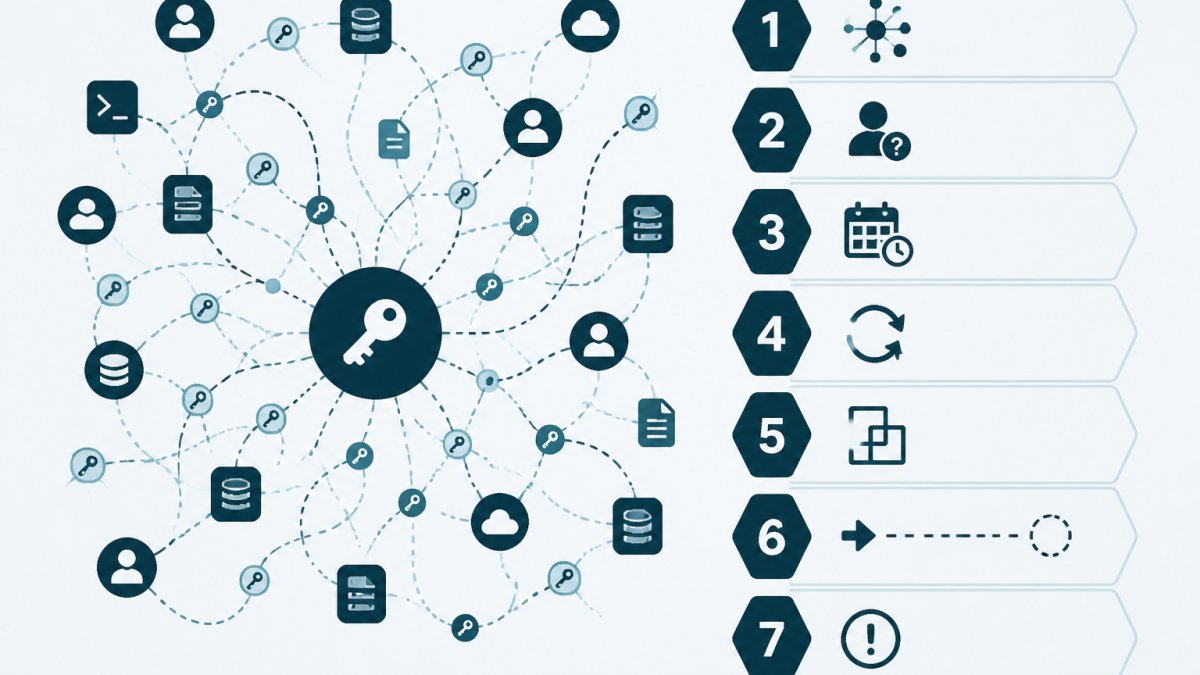
Credential sprawl is the uncontrolled growth of API keys, service accounts, tokens and certificates across a codebase, with no single record of who owns each one or when it expires. Preventing credential sprawl in development environments starts with seeing it clearly. This guide from KeyGuardRail walks through seven mistakes that let it take hold.
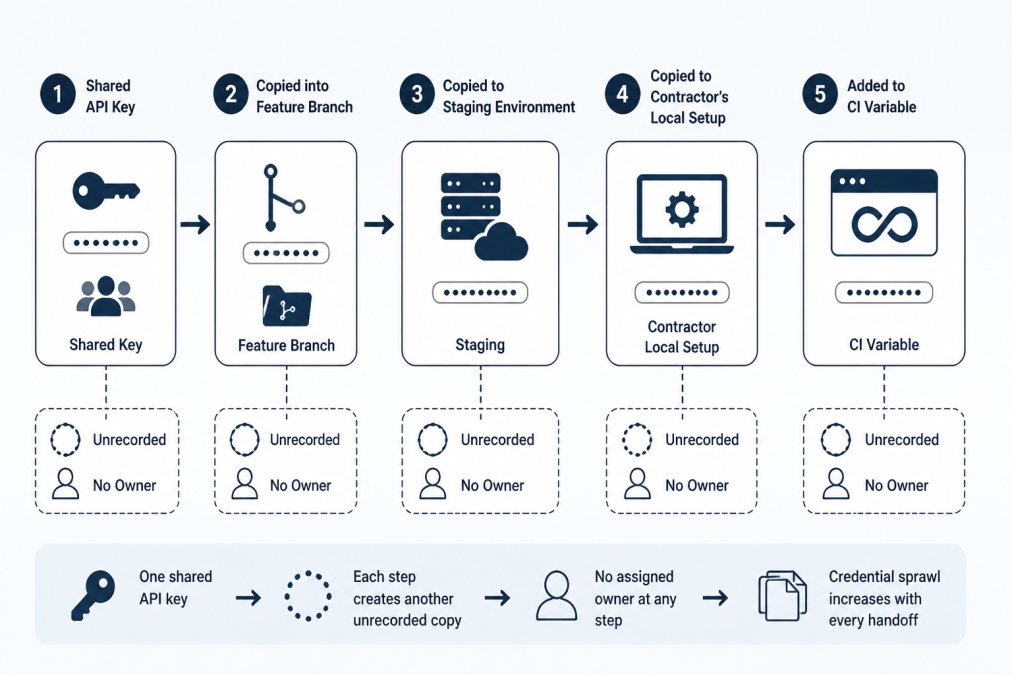
The pattern is familiar. A developer creates a key for a quick test. It gets copied into a feature branch. Then a staging config. Then a contractor's laptop. Six months later, nobody can say which keys are live.
Sprawl is not a security failure on its own. It is a record-keeping failure that makes every other task harder: rotation, offboarding, audits and incident response.
How Credential Sprawl Starts
Sprawl rarely begins with a bad decision. It begins with a reasonable one.
- A shared key is faster than provisioning a new one
- A test credential gets reused in staging
- A contractor receives access by copy-paste
- A CI variable is added and never documented
Each step adds a copy. None adds an owner.
Mistake 1: No Central Credential Inventory Template
The first mistake is having no central record at all. Teams rely on memory, chat history and scattered config files. When a question comes up, the answer takes hours to find.
A credential inventory template fixes this by giving every credential the same fields. It does not need to store secret values. It needs to store the facts around them.
What a Credential Inventory Should Include
A workable inventory records, for each credential:
- Provider and service it belongs to
- Environment (development, staging, production)
- Owner, by name and team
- Created date and expiry date
- Rotation interval and last rotation date
- Status (active, pending rotation, revoked)
KeyGuardRail supports manual entry and CSV import and export, so a team can start with a spreadsheet and move it into a tracked system later. A credential inventory template with fictional examples is a sensible first step.
Mistake 2: Rotating API Keys Without API Key Rotation Best Practices
Rotation without a plan creates its own mess. Teams rotate keys at random, forget to update every consumer, and cause outages that make them avoid rotation entirely.
Good API key rotation best practices follow a fixed sequence:
- List every system that uses the key
- Create the replacement key in the provider
- Deploy the new key to all consumers
- Verify traffic works
- Revoke the old key
- Record the rotation and date
Rotation Timing and Verification
Set a rotation interval per credential type and stick to it. After each rotation, verify that the old key is rejected and the new one works. Record the result so the next rotation has a reference point.
Watch out: rotating before all consumers are updated is the most common cause of self-inflicted downtime. Update consumers first, revoke second.
Mistake 3: Leaving Service Account Ownership Unassigned
A service account with no owner is a credential nobody maintains. No one rotates it. No one notices when it expires. No one removes it when the integration is retired.
Assigning service account ownership means naming a person and a team for every account. For a step-by-step method, see how to assign owners to API keys. The owner does not have to touch the credential daily. They have to be accountable for its lifecycle.
A simple rule helps: if a service account has no named owner, it is not approved for production.
Mistake 4: Skipping the Offboarding Developer Access Checklist
When a developer leaves, their credentials often stay. Personal tokens, local configs and shared keys they created remain active long after their last day.
An offboarding developer access checklist closes that gap. For a deeper guide, see how to build a secure credential offboarding process. It should cover:
- Personal access tokens they created
- Service accounts they owned
- Keys stored in their local environment
- Access to CI/CD secrets
- Shared credentials they distributed
Run the checklist before the last day, not after.
Mistake 5: Forgetting Expiry Dates and Lifecycle Reminders
Expiry dates are easy to record and easy to ignore. Without reminders, teams discover expiring certificates and keys only when something breaks.
Lifecycle reminders solve this by prompting action ahead of the deadline. To compare options, see credential expiration reminder tools for IT teams. A reminder at 30, 14 and 7 days before expiry gives owners time to rotate without pressure.
KeyGuardRail sends lifecycle email reminders based on the expiry dates and rotation intervals a team records. The Action Center then shows what needs attention.
Mistake 6: Treating a Vault as a Complete Credential Lifecycle System
A vault stores secret values securely. That is its job, and it does it well. What a vault typically does not do is track ownership, expiry and rotation history as a lifecycle record.
This is the distinction between credential management and secret storage. Secret storage protects the value. Credential lifecycle management tracks the facts around it: who owns it, when it expires, when it last rotated, and who did the work.
KeyGuardRail sits alongside a vault rather than replacing it. Secret values stay where they are. Only metadata is tracked.
Mistake 7: Never Cleaning Up Unused or Orphaned Credentials
Orphaned credentials are keys with no owner, no consumer and no expiry. They accumulate quietly and widen the surface area a team has to manage.
A cleanup pass should run on a schedule, not once. Each pass should:
- Flag credentials with no owner
- Flag credentials past their expiry date
- Flag credentials with no recorded use
- Revoke confirmed orphans in the provider
- Record the revocation in the inventory
KeyGuardRail's audit history keeps a record of these changes, so a team can show what was cleaned up and when. Teams revoke credentials in the provider and record the work in KeyGuardRail.
| Mistake | Fix | What It Prevents |
|---|---|---|
| No central inventory | Use a standard template | Unknown credentials |
| Unplanned rotation | Follow a fixed rotation sequence | Self-inflicted outages |
| No service account owner | Assign a person and team | Unmaintained accounts |
| Skipped offboarding | Run a checklist before last day | Dormant access |
| No expiry reminders | Set lifecycle reminders | Surprise expirations |
| Vault treated as lifecycle tool | Track metadata separately | Missing ownership history |
| No cleanup pass | Schedule regular reviews | Orphaned credentials |
Where Teams Should Start
Preventing credential sprawl in development environments comes down to records, owners and dates. Start with a single inventory, even a spreadsheet, and give every credential an owner and an expiry date. Then set a rotation rhythm and a cleanup schedule.
KeyGuardRail helps small technical teams keep that record without storing secret values. It tracks ownership, expiry dates, rotation intervals and audit history, and sends lifecycle reminders so deadlines do not slip. Teams can see how it fits their setup on the getting-started page.
Frequently Asked Questions
What is credential sprawl in a development environment?
Credential sprawl is the accumulation of API keys, service account credentials, tokens, and certificates across environments, repositories, and teams without a single record of what exists, who owns it, or when it expires. It grows when keys are copied into local setups, CI variables, and staging environments without documentation. The result is unowned credentials, missed rotations, and no reliable way to answer which credentials are still active.
How can development teams prevent credential sprawl?
Start with a central inventory that records each credential's name, provider, environment, owner, expiry date, and rotation interval, without storing the secret value. Assign one accountable owner per credential, set lifecycle reminders, and require an offboarding checklist when developers leave. Review the inventory on a schedule and remove credentials that no longer have an active use. Tools such as KeyGuardRail track this lifecycle metadata while secret values stay in your existing vault.
How often should development credentials be rotated?
There is no universal interval. Set rotation based on the credential's blast radius, provider guidance, and how often it is used. High-privilege production keys typically warrant shorter intervals than scoped read-only tokens. Record the chosen interval in your inventory and track the next rotation date. The important practice is consistency: every credential has a documented interval and a reminder, rather than rotation happening only after an incident.
How do you track who owns an API key or service account?
Record an accountable owner, not just a team name, for every credential in your inventory. The owner is the person who can confirm whether the credential is still needed and who rotates or revokes it in the provider. When ownership changes, update the record during handoffs. During offboarding, reassign ownership before the developer's last day so no credential is left without someone responsible for its lifecycle.
